BLINK(1), THE WORLD'S BEST INDICATOR LIGHT
blink(1) is a super status light: it packs three dimensions of information (color, brightness and pattern) into a single tiny package that fits into any USB port on nearly every device. It makes it incredibly easy to connect any data source in the cloud or on your computer to a full-color RGB LED so you can know what's happening without checking any windows, going to any websites or typing any commands.
We designed blink(1) in the spirit of our favorite old school
Unix tools and we tried hard to make it simple, flexible, and robust.
Do you want to know if a friend has signed onto Skype, but don't want
a window popping up every time anyone has logged on? Do you want to be
notified when a long download has finished? Do you want to know the snow
conditions at Tahoe without checking every hour? Do you want to make a
"busy" light for your office that glows red when your calendar says
you're in a meeting?
You can do all four at once: you can simultaneously control as many
blink(1)s as you have USB ports. Have a 36-port USB hub? You can fill it
with 36 blink(1)s, each of which is showing a different piece
of information.
BLINK(1) AT HOME
Get things done without
having your face buried in the computer. If you're expecting a call and
don't want to make noise, blink(1) can help.

BLINK(1) ON THE GO
Monitor network speed when you're in the
cafe, so you know when the guy in the corner is seeding on BitTorrent
and it's time to go elsewhere.

BLINK(1) AT WORK
Ever wanted a physical "Busy" indicator for
your cubicle or office? With blink(1) and a USB extension cable, you
can let your coworkers know when you really can't be interrupted.
And
because blink(1) is physically unobtrusive and requires no drivers to
confound the OS, it makes a great multi-modal notification light for
rack-mounted servers, alerting to task updates or system alerts.

CROSS PLATFORM EVERYWHERE
blink(1) is a USB HID device, so no
special drivers are needed, just applications. We provide apps for Mac
OS X, Windows, Linux, and embedded Linuxes like those used on BeagleBone
and DD-WRT.
On Windows, blink(1) can appear as a system service.
On Mac OS X, it can be an Applescript target. On Linux it's a
command-line tool.

WHAT'S WITH THE NAME?
The name "blink(1)" is a play on the
Unix help system ("man pages") where command's help pages are given by
their name and section.
OPEN SOURCE
Not only are the
blink(1) tools and apps open source, so is its entire design. Feel free
to hack it to make it do cool new things.

WHERE WE'RE AT
blink(1) builds on our experience making
thousands of BlinkMs, the popular Smart LEDs for Arduino.We wanted
something that is as fun and as useful as BlinkM, but made for everyone,
not just prototypers and designers.
FAQ
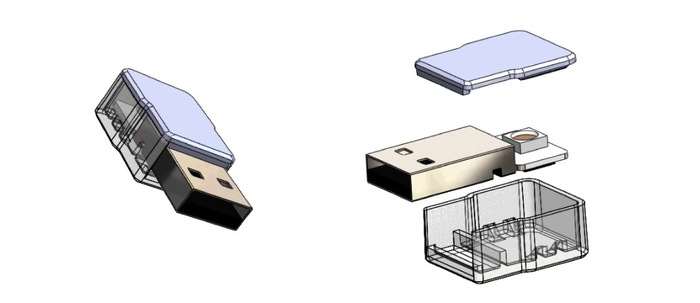
Q. Wait, so this is just an RGB LED with a USB connector in a case? A. Yes,
and it's the most flexible and easiest to use one, anywhere. To make it
all work, there's also a tiny USB controller with our firmware to make
it easy to program and control, but basically yes.
Q. Which computers does blink(1) work with? A. Just
about anything with a USB jack. Specifically, blink(1) is a USB
HID-compliant device and the apps we release for it work on Mac OS X
10.6+, Windows XP+, Ubuntu/Debian-style Linux. The command-line tools
can be compiled for just about any POSIX-compliant Unix-style platform
including the Raspberry Pi, DD-WRT WiFi routers, BeagleBone, and some Android phones.
Q. Can I hook it to my Twitter? A. Yep! Our BlinkATweet app lets you control blink(1) based on Twitter keyword search or Twitter user post.
Q. What other web apps does blink(1) work with? A. At launch we plan on having blink(1) work with Twitter, Facebook, Pinterest, and through IFTTT.com, Boxcar.io many other web services.
Q. Can I control it from my phone? A. Yes!
If your phone can load a web page it can control blink(1). The blink(1)
service on your computer can appear as a password-protected web app for
your phone or any other network enabled device.
Q. Is blink(1) hackable? A. Definitely.
We're working to make the enclosure openable so you can get at the
circuit board. And if you know Arduino or AVR programming, you can
modify how blink(1) functions. blink(1) can be programmed with the
Arduino IDE. We will include example hacks of how to turn the blink(1)
into a USB keyboard and mouse emulator.

No comments:
Post a Comment